Subscribe to what matters, in one click.
Follow
Interests by ADC
Put a Follow Interest button on any page, right next to the content it describes. One click subscribes employees to the interest and its email notifications, with no second step and no extra pages to maintain.
- Following Toronto News
- Follow Benefits News
- Follow HR Initiatives
OUR WIDGET
Why
use it
- 01
Opt in with one click
A simple, one-click way for employees to follow an interest and turn on its email notifications at the same time.
- 02
Grow content engagement
Put a follow button where people read, and help more employees engage with the LumApps content that matters to them.
- 03
Fewer pages to maintain
Remove the administrative tax of creating and maintaining a page just to host one follow interest button.
HAVE A LOOK AT
What it does
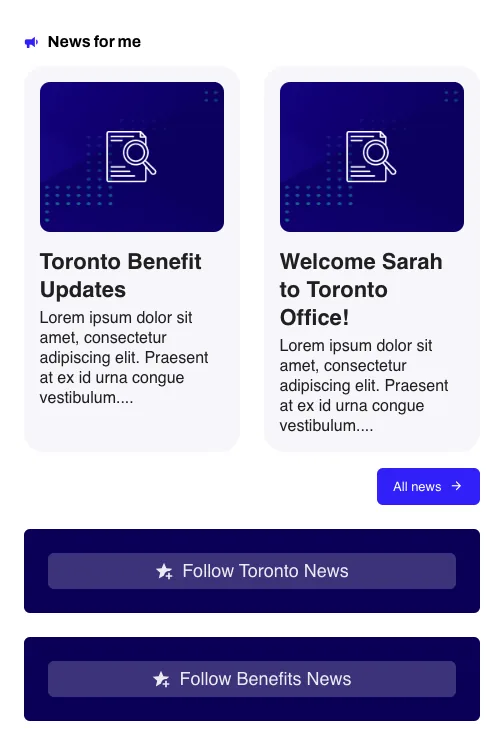
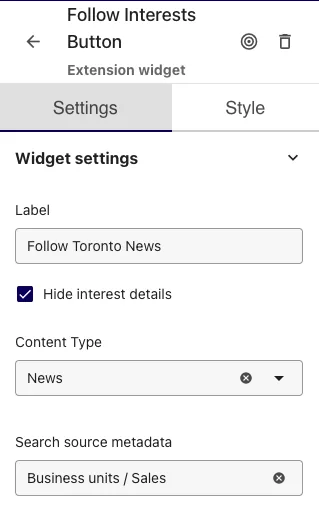
Multiple Interests per Page.
Display as many follow interests as you like on one page, without a content list or content filter widget.
Email Notifications Included.
Users are opted in to email notifications automatically, with no second action to take.
Content Type & Metadata.
Configure each button to a Content Type and a metadata for the interest.
Native Subscriptions.
Users are subscribed to the interest in Subscriptions, just as they expect from the native experience.
HOW IT WORKS
Set up in three steps
- STEP 1
Add the widget
Drop the Follow Interests Button widget anywhere on a page, including the homepage.
- STEP 2
Pick the interest
Choose a Content Type and a metadata, then give the button a custom label that matches your use case.
- STEP 3
Employees follow
One click subscribes them to the interest and its email notifications, and the button shows they are following.
All pricing includes
- Unlimited usage (no user limit)
- Extension initiation, setup and training
- ADC Extension Maintenance & Support
- Also available in the Follow Actions Bundle
Contact ADC for a no-commitment trial.
Start a Free TrialWHY DO YOU NEED THIS
Who it benefits
Added value for your page administrators, your employees, and the teams publishing the news
Administrators & Experience Managers
No more pages built just to host a follow button. Customize each label in seconds and place as many interests as you need on one page.
Employees
Follow the topics that matter right where they read about them, and get the email notifications without hunting for a setting.
Communications Teams
Grow the audience for each news stream by inviting readers to subscribe at the moment they are most interested.
GO FURTHER