Design once. Deploy everywhere.
Space Homepage
Layout Copier by ADC
Turn your best-designed LumApps Space into the blueprint for every other one. Copy a polished homepage onto any Space in a single click, and give legacy Spaces a modern, on-brand experience without rebuilding a thing.
HAVE A LOOK AT
Why
use it
- 01
Scale your best work
Your most engaging Space homepage shouldn't be a one-off. Make it the standard every team, department, and event Space starts from.
- 02
Modernize legacy Spaces, instantly
Bring outdated Space homepages up to your current design standard in seconds, instead of rebuilding them widget by widget.
- 03
A consistent brand, everywhere
Every Space looks and feels like part of the same intranet, so employees always know where they are and where to find things.
- 04
Give your team its time back
Free admins and communicators from repetitive layout work, so they can focus on the content and campaigns that actually move the needle.
SEE THE DIFFERENCE
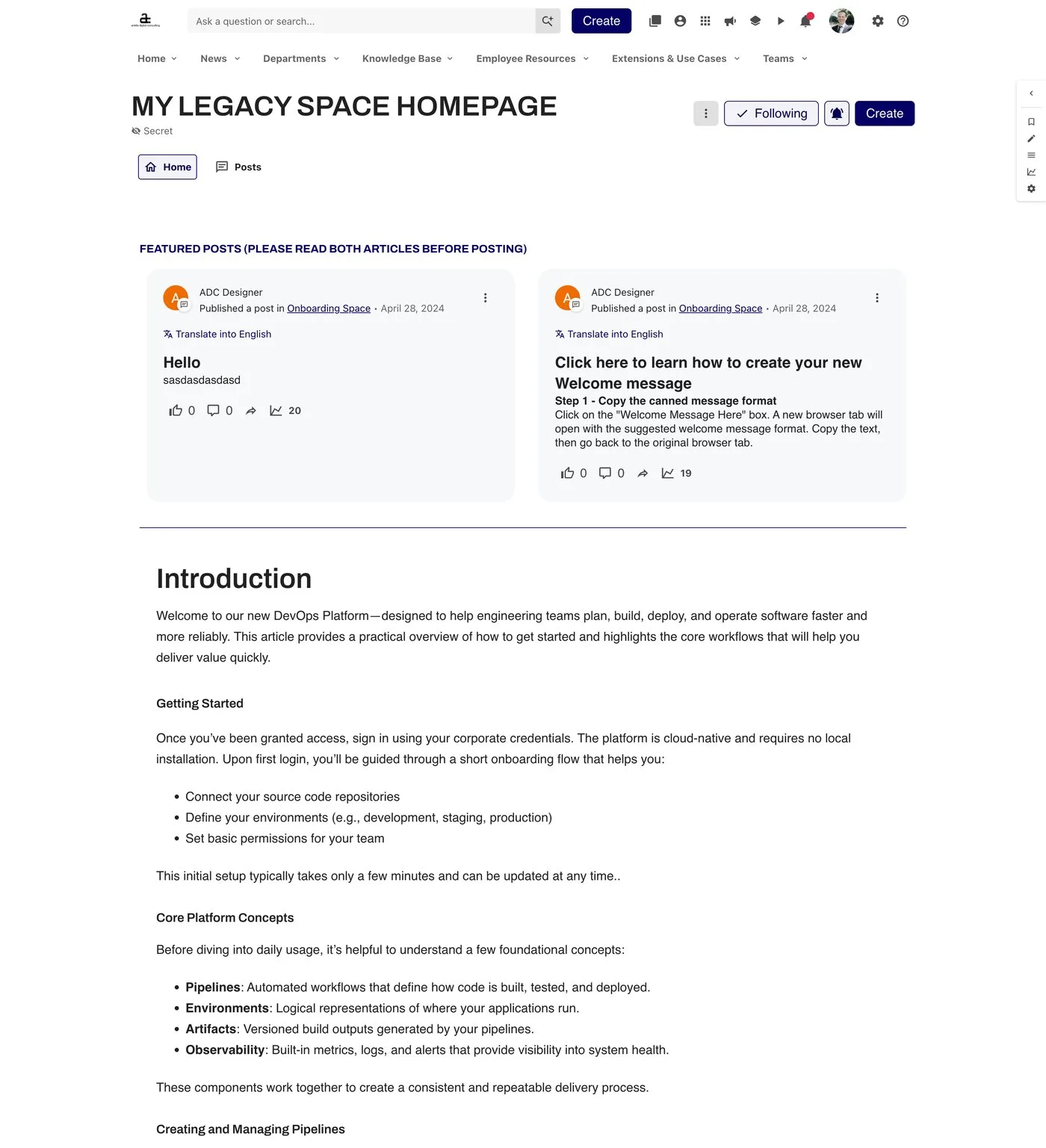
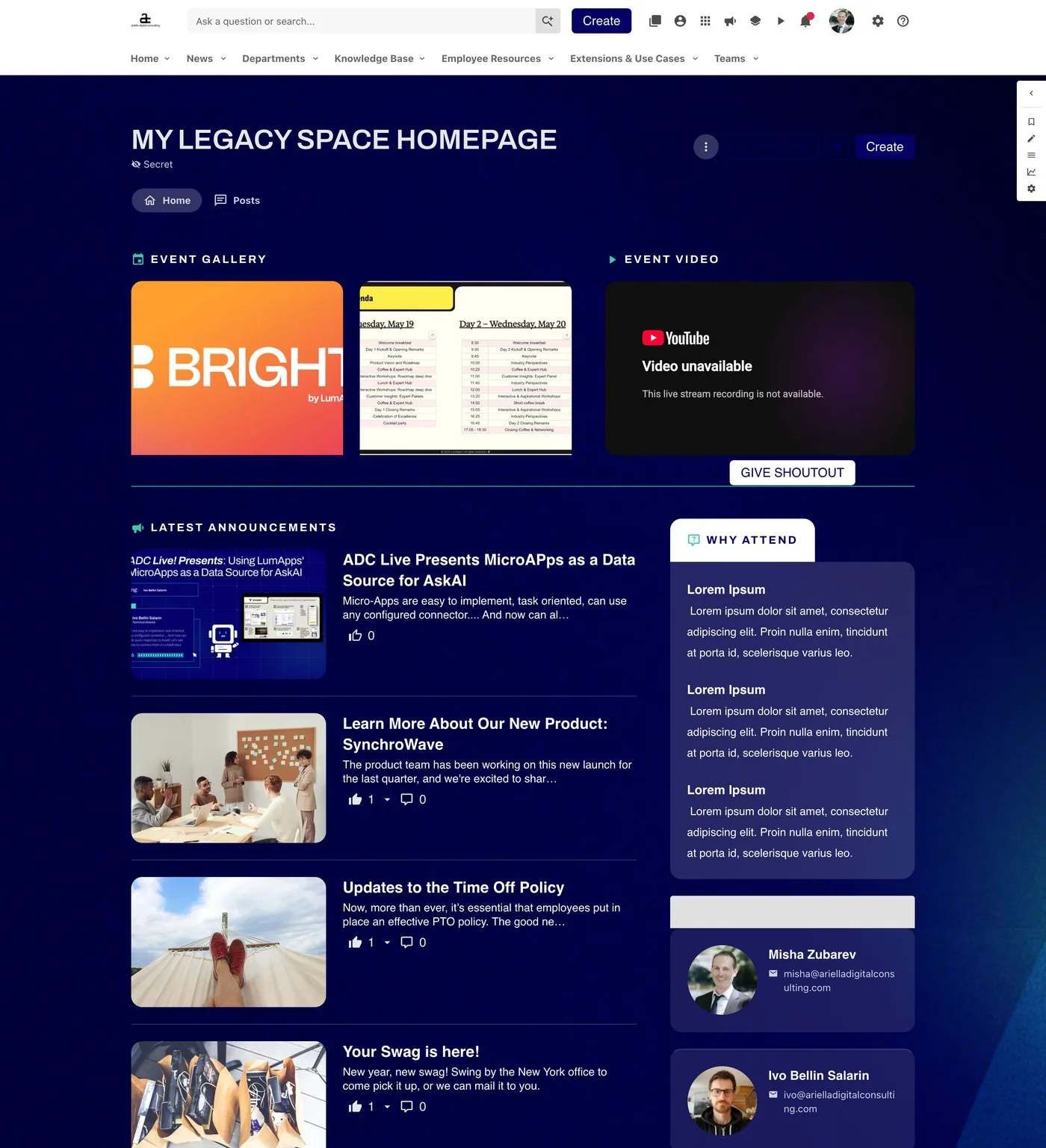
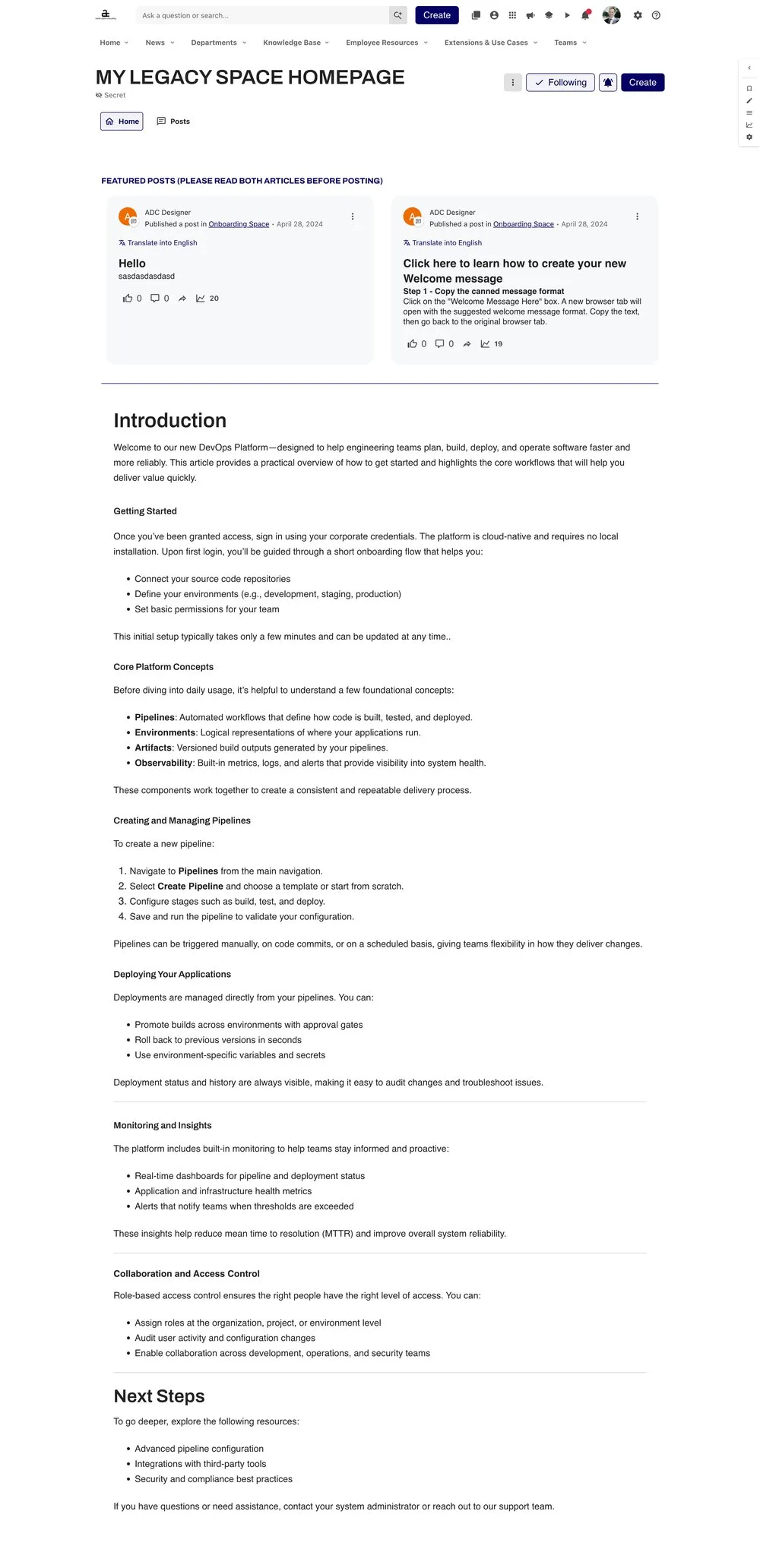
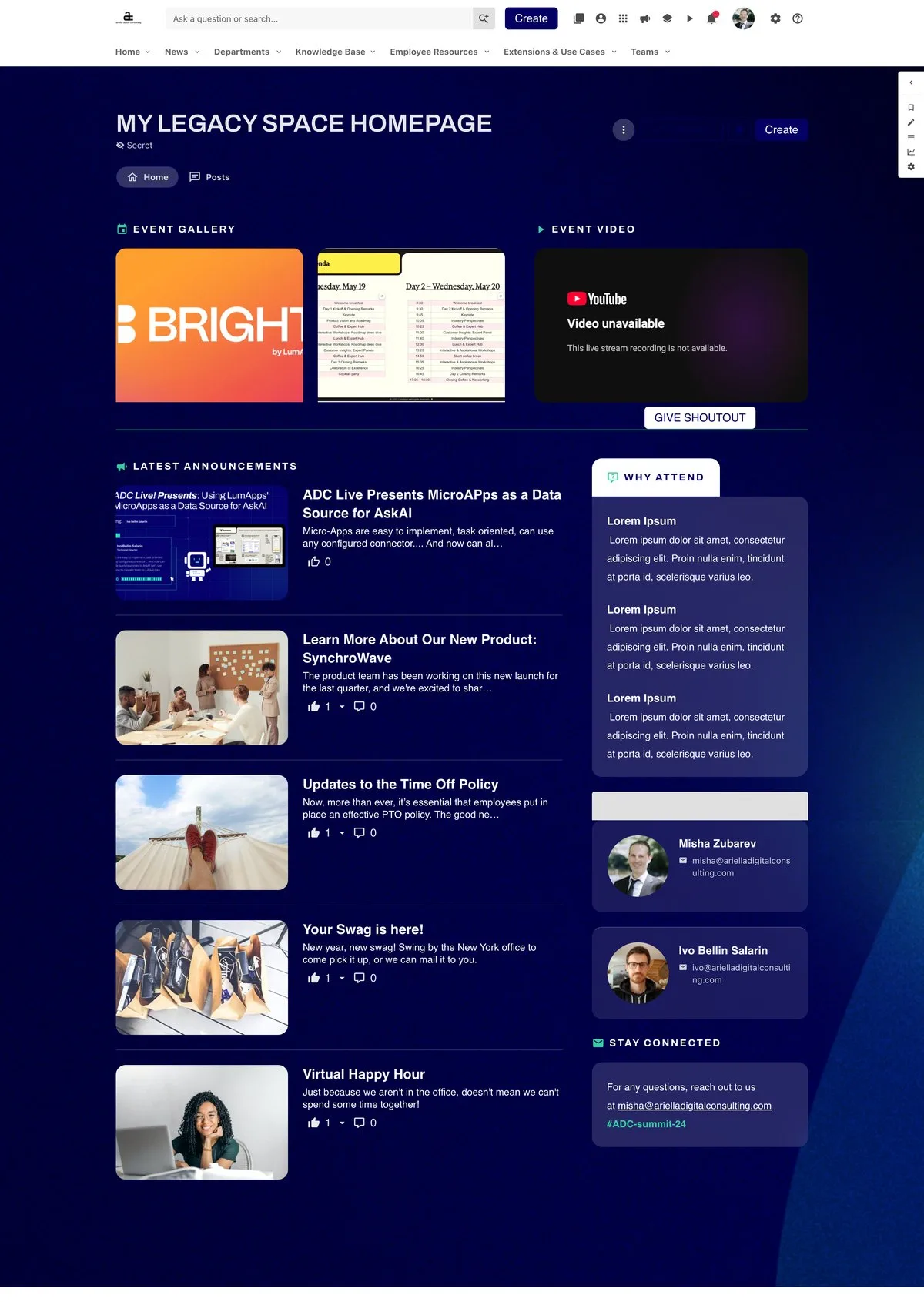
From legacy
to landmark
Same Space. Same URL. A completely new first impression, delivered in one click. Scroll each page to explore.
SEE IT IN ACTION
The whole experience, start to finish
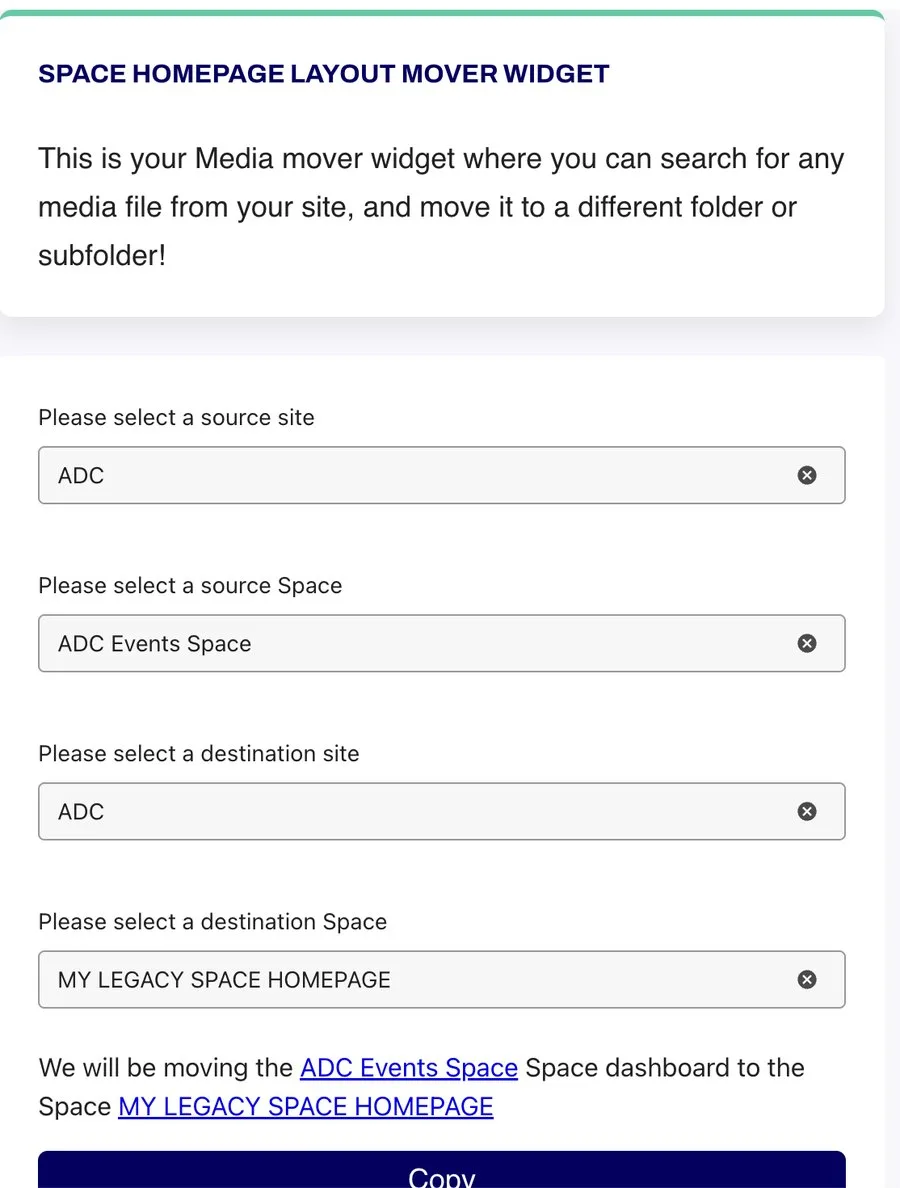
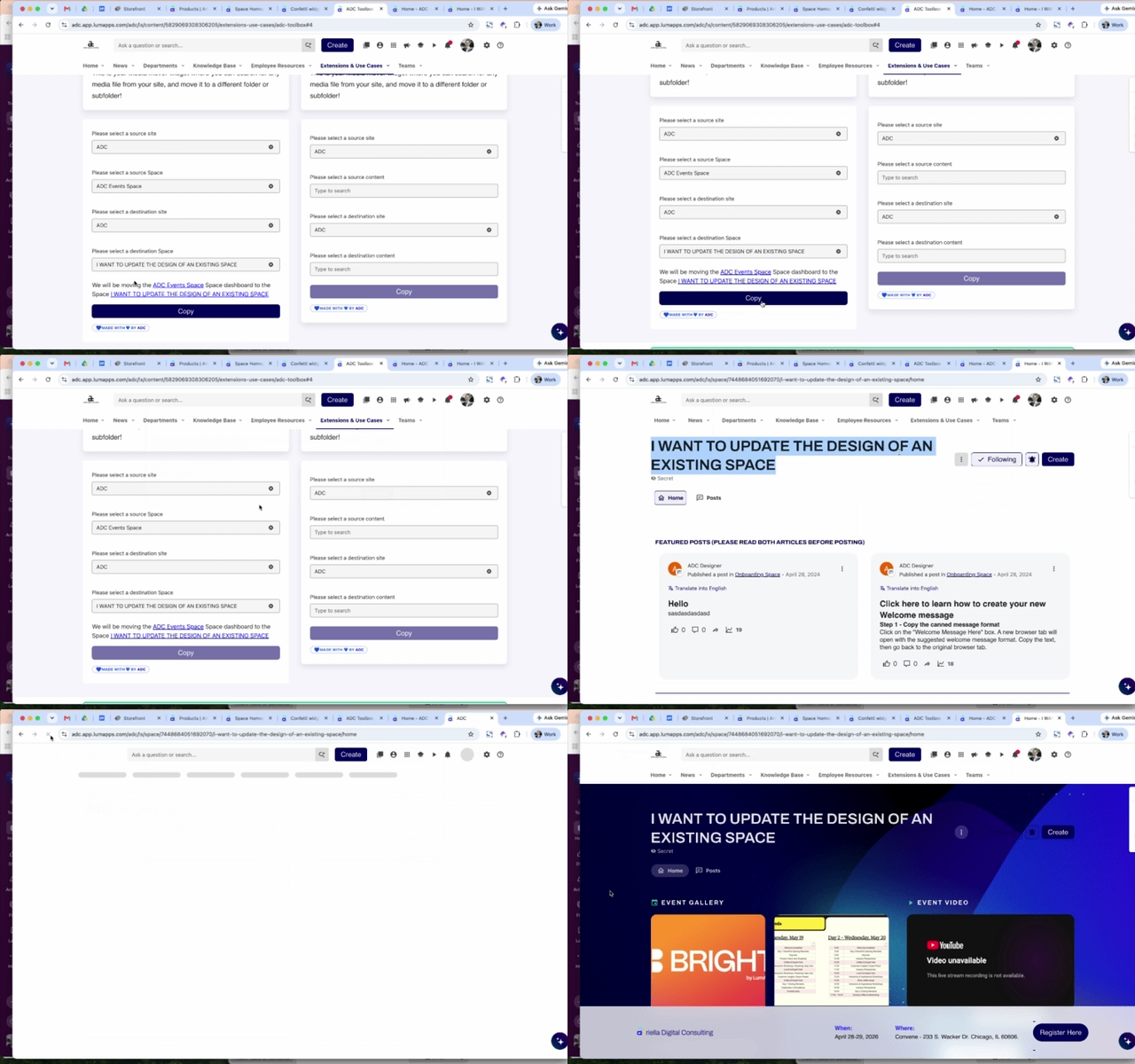
Watch a legacy Space receive a brand-new homepage, live inside LumApps. Choose the source, choose the destination, click Copy, and the new homepage is in place.
- Runs right inside your intranet
- No technical skills needed
- Results you can see right away
ROLL IT OUT IN
Three simple steps
- STEP 1
Choose your blueprint
Pick the Site and Space whose homepage sets the standard you want everyone to match.
- STEP 2
Pick your destination
Select the Space you want to transform, on the same Site or a different one.
- STEP 3
Click Copy. Done.
Confirm, and the full homepage layout lands in its new home, ready for your content.
Hours of rebuilding, replaced by one click.
No rebuilding widgets. No copy-pasting settings. Just a better homepage, right now.
POWER, WITH GUARDRAILS
Governance built in
Moving fast never means losing control. The Layout Copier respects your intranet's permission model at every step, so the right people make the right changes.
For administrators only
Only Site and platform administrators can see and use the widget.
Permission-aware
Admins only see the Sites they're allowed to change, so layouts can't be copied to or from places they don't manage.
Confirm before you commit
A clear summary and confirmation step means no surprises, every time.
Your settings stay yours
The destination Space's display preferences are never overridden, so you stay in charge of when the new homepage goes live.
LEARN MORE ABOUT
Where it delivers value
Added value for your Intranet Managers, Internal Communications, and Space owners
Intranet Refreshes & Rebrands
Roll a new look out across dozens of Spaces without a months-long migration project, and launch your refresh with momentum.
Events & Campaigns
Spin up every summit, launch, or recurring campaign Space from a proven, high-engagement template, ready to go on day one.
Departments, Teams & Regions
Give every department and regional Space the same polished, recognizable structure, so employees feel at home wherever they land.
GO FURTHER
Explore More Toolbox Widgets by ADC
Check out our Docs site for a listing of all our widgets:
docs.adc.dev/docs