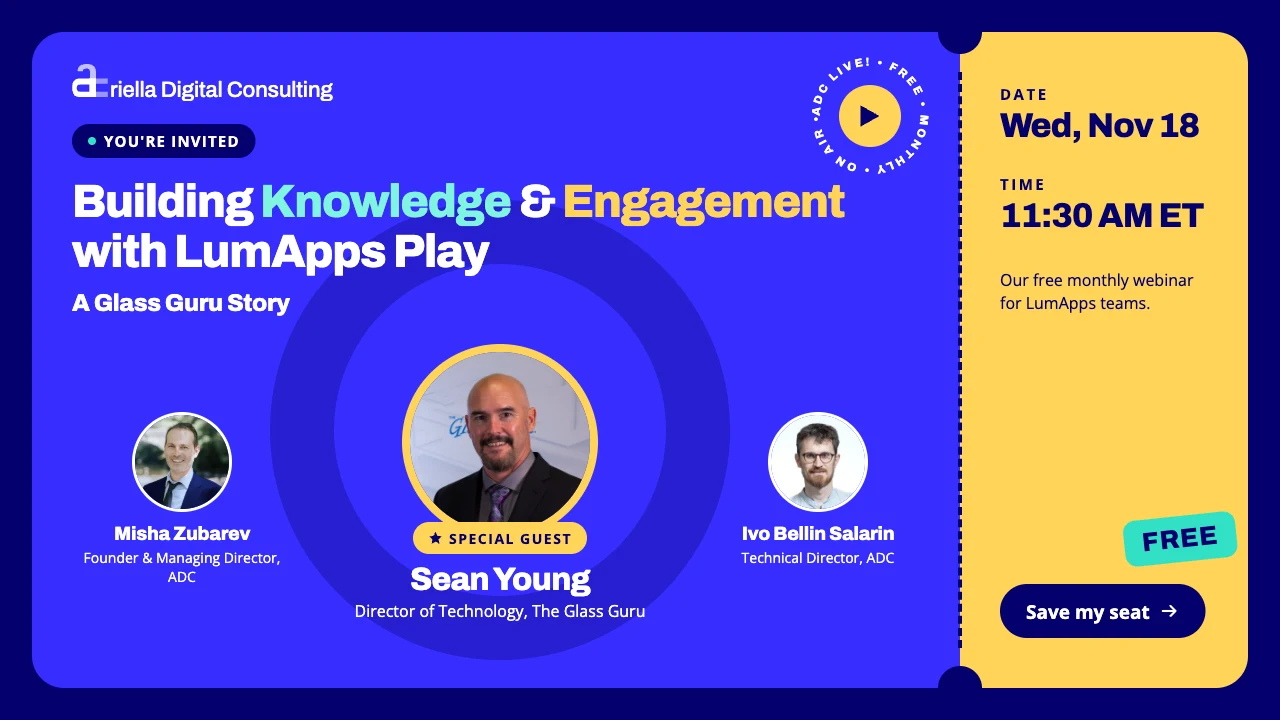
Sean Young, Director of Technology at The Glass Guru, joined us to show how his team uses LumApps Play to deliver video to their national franchise locations. From chapters and auto-generated subtitles to playlists embedded in guides and event pages, here's why he calls Play the one feature he'd find hardest to replace.
The replay of our November ADC Live! episode is now available. This time we handed the mic to a customer. Sean Young, Director of Technology at The Glass Guru, walked us through how his team uses LumApps Play, LumApps' enterprise video solution, on Guru HQ.
The Glass Guru is a national franchise organization, and Guru HQ is its white-labeled LumApps platform. Sean was one of our very first ADC Live! guests, so it was great to have him back.
Partners, not vendors
Sean's team regularly reviews every tool in its SaaS stack and asks a simple question: should we be doing this ourselves? With how much easier it has become to build and own software, nothing is off the table, LumApps included.
Yet one feature set stands out as one Sean would find hardest to replace: LumApps Play. In his words, it would be the hardest thing to just bolt on if they ever tried to reinvent it.
Why they moved to LumApps Play
Before Play, The Glass Guru tried just about everything to get video to franchisees: private YouTube videos, Vimeo, and MP4 files stored in Google Drive. As a Google enterprise customer, Drive storage was cheap and plentiful, but the viewing experience fell short:
A limited player. No custom thumbnails and nothing like chapters.
Slow, choppy playback. Jumping to the middle of a four-hour recording could mean a ten-second wait for the video to catch up.
None of that is a problem with Play. Sean describes it as a world-class streaming product that offers most, if not all, of what you'd expect from best-of-breed video tools, while living inside the platform his team already manages every day.
What makes Play stand out
A familiar ecosystem. If you already manage content access through groups, you manage video permissions the same way.
Automatic subtitles. When a video is processed, Play generates a VTT subtitle file for you.
Chapters. Play the video, at normal or faster speed, and click Add chapter. Play captures the frame, you give it a name, and viewers get a clickable chapter to jump straight to that moment. For events that run three or four hours, this is a favorite with franchisees.
Curation tools. Swap out a video file without re-posting it, and pick your own thumbnail, either by uploading an image or capturing a frame from playback.
Tags and playlists. Today, tags are the way to group videos into a playlist automatically, rather than picking each video by hand.
Calls to action. Add a link in the top-right corner of a video that opens related content in a new tab, whether it lives in LumApps or elsewhere.
Smooth streaming, anywhere. Viewers can adjust quality to their bandwidth, go full screen, and watch comfortably on mobile. Sean says they've never once had a streaming issue.
Sean's hack: let your subtitles write your descriptions
Sean believes every video should have a description, and he has a shortcut for writing them. Because Play creates a VTT file for every upload, he downloads it, hands it to his generative AI tool of choice, and asks for a 100-word summary of the video. Then he pastes the result into the video's details.
A bonus: subtitles mean your video's spoken words exist as readable text, which adds context to the video itself.
Putting video where people learn
Videos at The Glass Guru don't just sit in a library. Sean's team places them wherever they add the most context:
The video gallery. Every video and playlist is published to the gallery, which you can rename to whatever suits your platform.
Curated learning pages. Each video gets a short introduction and is embedded right in the content page, with chapters and quality controls intact.
Guides and SOPs. The Glass Guru releases instructions to franchisees and its internal team as both a written guide and supporting videos, embedded inside the guide.
Event pages. For Rise Above, their most recent franchise convention, all the session recordings sit in a Play playlist on the event page alongside the slide decks. It's just another widget, so anyone comfortable building content can do it.
Franchisees, the main readers of these guides, like having video in line or a playlist of related videos at the end. Sean also plans to use calls to action the other way around, linking from a video back to its written guide. As he put it, some people want to watch, some want to read, and some want both.
Every content decision is also made with the future in mind. The Glass Guru doesn't use an LMS today, but on-page content, embedded content and Play videos could all be reused in LumApps Learning down the road.
Search and the road ahead
Each video has its own setting for whether it appears in search. The Glass Guru usually steers people to content pages rather than to individual videos, because pages carry assignable metadata and richer context.
Here's what Sean is looking forward to most:
LumApps metadata on videos. Tags are the only option today. Being able to use the same metadata that already organizes their content would help them show the right video in the right place.
Deep links to chapters. Their franchise business coaches already send links to specific sections of long guides using anchors. Linking straight to a video chapter would let them answer a franchisee's question with one URL.
More AI. Sean expects real value from upcoming AI features that can analyze videos and give agents access to their transcripts.
Hitting their video limit. His favorite problem to have: running out of room would mean lots of relevant, current videos are being watched.
Watch the replay
Catch the full episode to see Sean's demo of Guru HQ. Have questions about LumApps Play or anything you saw? Reach out to us, and we're happy to connect you with Sean. And tell us what you'd like to see next: visit the ADC partner space on the LumApps Hive and take our quick survey.