Org Chart by ADC
Give every team a clear view of who leads what. Department heads and page owners can add a live org chart to any LumApps page or Space, in a few clicks and with no code.
HAVE A LOOK AT
Why
use it
- 01
Drag, drop, done
A simple drag-and-drop solution for team leads and page owners to add an org chart to any LumApps page or Space.
- 02
Leadership people can see
Improve awareness and add an extra layer of transparency to your team's or department's leadership hierarchy.
- 03
No admin overhead
Add as many org charts as you need, one per team, department, or function, with little to no admin effort.
- 04
Native to LumApps
Built on LumApps' out-of-the-box Design System, so it picks up your global styles and stays up to date.
HAVE A LOOK AT
What it does
Org Chart sizzle reel
See the Org Chart extension in action in this 30-second teaser video.
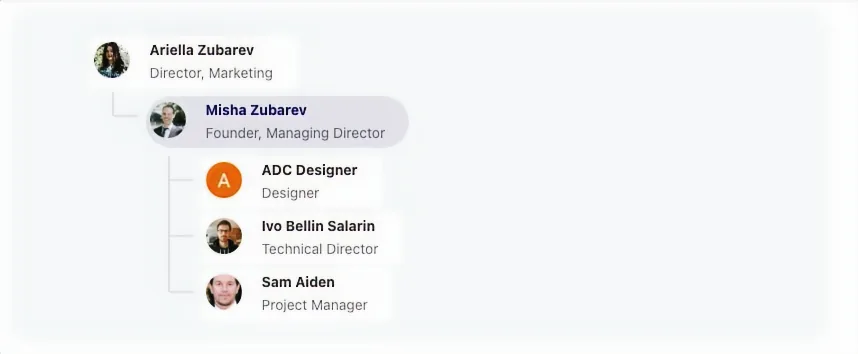
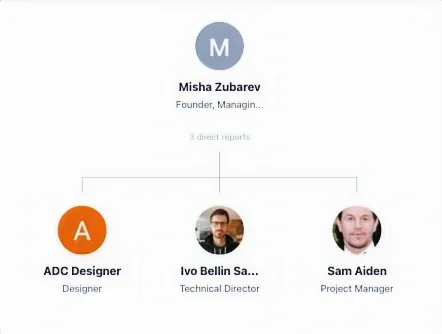
From Any Person, Down.
Displays the organizational chart from the selected user downwards. That simple.
Explore Deeper.
People can go deeper into the chart, just as they would from a LumApps user profile.
Any Page or Space.
Page administrators can add an org chart dynamically to any LumApps page or Space.
Two Display Modes.
Choose LumApps' standard mode, or the browse and drag org chart mode.
ROLL IT OUT IN
Three simple steps
- STEP 1
Add the widget
Drop Org Chart onto a team site, department page, or Space.
- STEP 2
Pick the person at the top
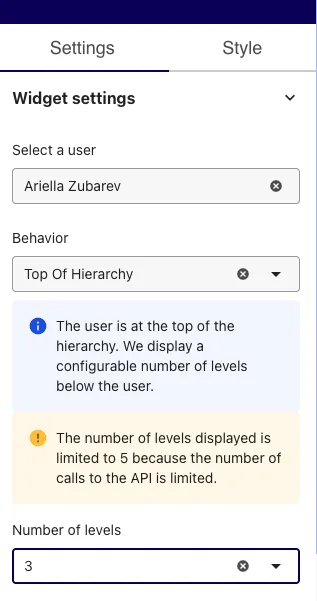
Select a user, choose the behavior, and set how many levels to show.
- STEP 3
Publish
Your team sees who leads what, styled like the rest of your platform.
Widget pricing
Contact us for pricing details and a demo on your own LumApps platform.
LEARN MORE ABOUT
Where it delivers value
Added value for HR, Internal Communications, and department heads
Onboarding & HR
Help new joiners learn who is who, and who to ask, from their first week.
Department & Team Pages
Show each department its own leadership structure right on its home page.
Reorgs & Announcements
Pair an announcement with the new structure, so people see the change, not just read about it.
GO FURTHER
Explore More Experiences by ADC
Check out our Docs site for a listing of all our widgets:
docs.adc.dev/docs